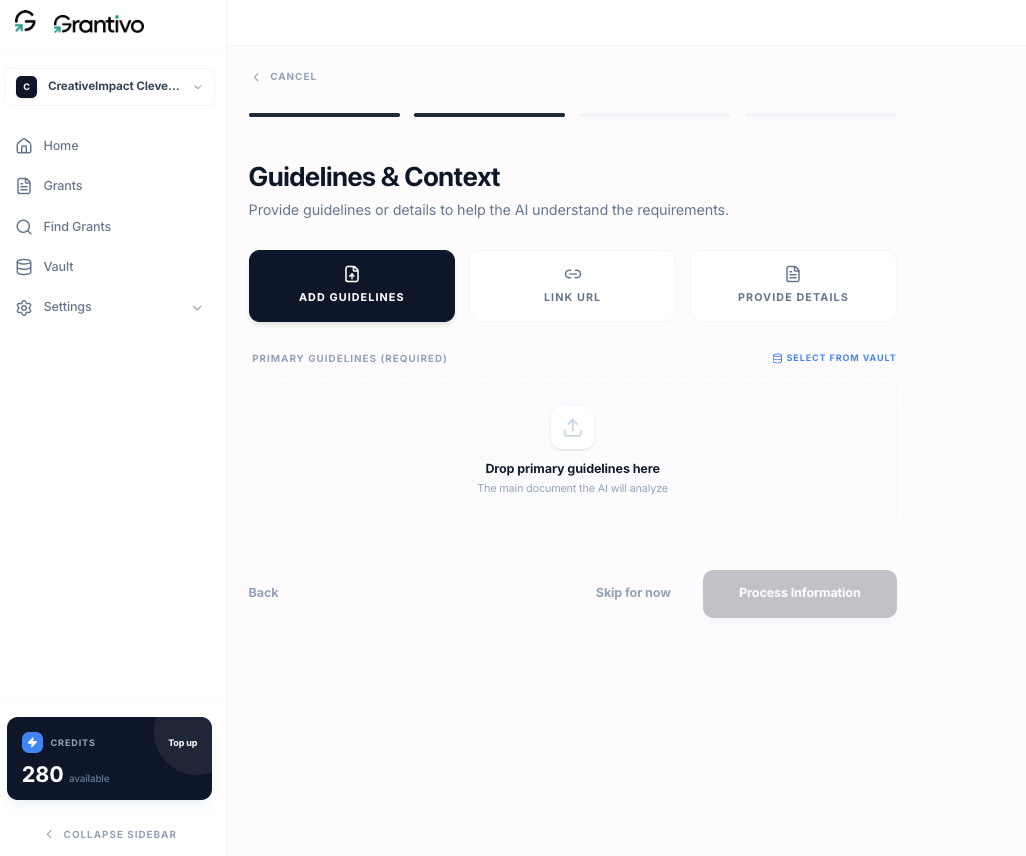
Click “New Grant” in the top corner of the grants or dashboard page.
The flow has three steps:
Identity: grant title and funder name (optional but helpful).
Context: add the RFP or guidelines so Grantivo can analyze requirements and give you funder-aware feedback. You can upload RFP (PDF or DOCX, recommended; Grantivo extracts requirements and structure), paste text or a URL to the guidelines, attach from Vault to reuse a document you've already uploaded, or skip and add context later.
Create: Grantivo processes the context (if provided) and opens the grant in the editor.
You can also start from Upload RFP on the dashboard; that leads into the same flow.