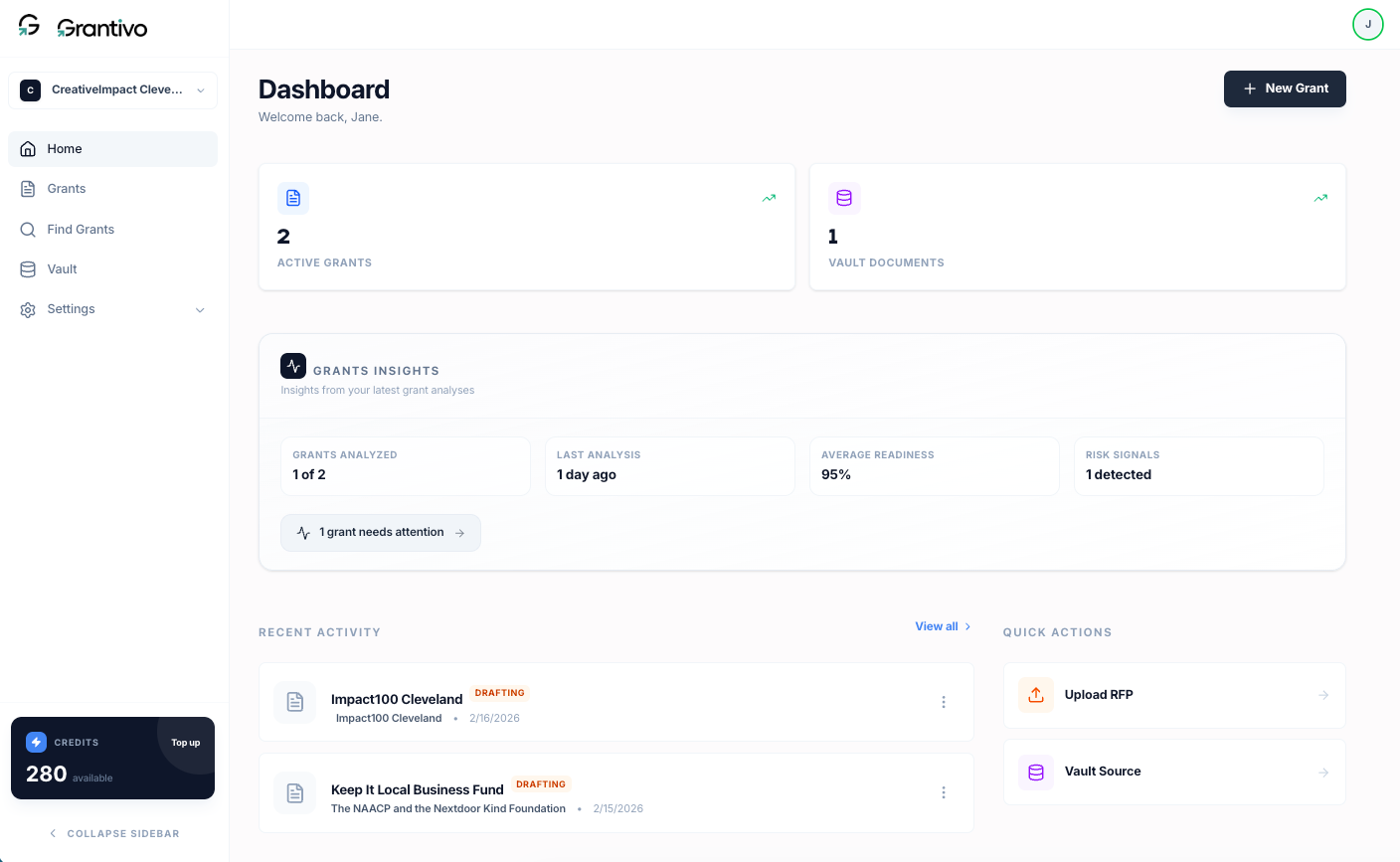
The dashboard has a sidebar and a main area. The sidebar matches the app navigation so you can move between Home, Grants, Find Grants, and Vault. Credits and billing live in the sidebar footer.
Sidebar
At the top you can switch between your organizations. Below that are the main links: Home, Grants, Find Grants, and Vault. Under Settings you get Profile, Organization, and Billing. At the bottom of the sidebar you see your credit balance and a Top up link that goes to billing.
Main area
From Home you'll see:
The navigation sidebar
Active Grants and Vault Documents counts.
Grants Insights: How many grants have been analyzed, last analysis time, average readiness, and any risk signals (e.g. deadline risk, clarity gaps). Run analysis in the grant editor to feed this.
Recent Activity: Any recent grants you have updated; click one to open it.
Quick Actions: Upload RFP (start a new grant from an RFP/Guidelines file) and Vault Source (open your Vault).
Credits and billing
AI interactions use your credits. Your balance is shown in the dashboard sidebar; Top up goes to Settings then Billing. After a successful purchase, credits appear in your account.
Dashboard page
Understanding Your Grantivo Dashboard | Grantivo Guides